


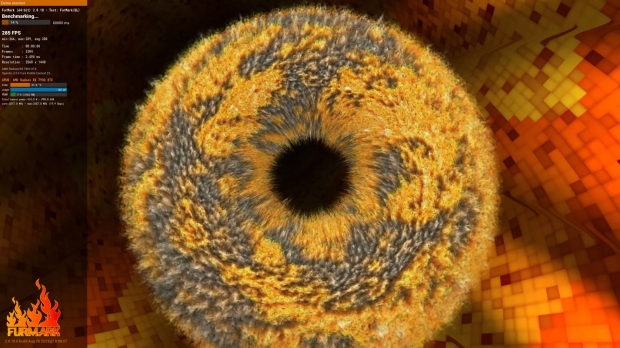



FurMark 2 is now official and available for download right now from here. The new GPU stress testing, diagnostics, and benchmarking tool has been popular for years now, but its successor is here to melt your GPU even harder.
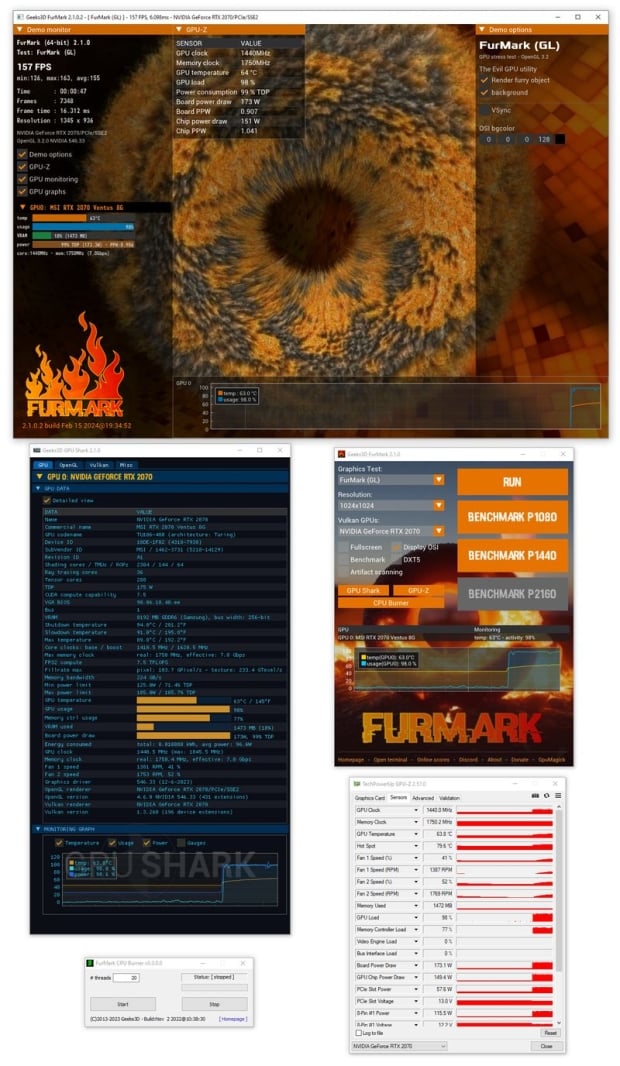
The new FurMark 2 was created using the latest cross-platform tool called GeeXLab with a GUI, while the command tool uses GeeXLab SDK. You've got support with FurMark 2 and Windows 64-bit, Windows 32-bit, and even Linux 64-bit with operating systems.
The next update for FurMark 2 will include support for Linux 32-bit and Raspberry Pi, with possible MacOS support coming in the near future. Future 3D APIs can be added into FurMark 2, including OpenGL 2.1 and OpenGL 3.0/3.1 APIs, but were most likely omitted from the v2.0 release because they're not cross-platform compatible.
There's a new page to show user-submitted scores with FurMark 2, the submitted information from users includes the max GPU core usage, max GPU core temperature, minimum and maximum GPU clocks, and maximum power consumed during the benchmarking session.
FurMark 2.0 changelog:
- Fixed a bug in the display of graphics cards with a long name in the OSI (On Screen Information).
- Added the power in watts in the score submission for NVIDIA GPUs.
- Added FurMark Knot demo in OpenGL and Vulkan
- Improved the use of the following command line options:
- --benchmark, --max-time and --max-frames
- Now they work correctly.
- Score submit is disabled is a renderer is too slow (1 frame in less than 60 sec) or if a fake score is detected (number of points and average framerate do not match).
- (windows) GPU monitoring plugin: added support for GeForce RTX 4070 SUPER, RTX 4070 Ti SUPER and RTX 4080 SUPER.
- (windows) Commercial name: added
- (windows) updated with GPU-Z 2.57
- (windows) updated with GPU Shark2 2.1.0
- updated with GeeXLab 0.57.0 libs
You can download the all-new FurMark 2 release right here.



 FurMark 2.9 released: supports GeForce RTX 5050 and Radeon AI PRO R9700 GPUs
 AMD Radeon RX 9070 XT tested in Furmark: RTX 4080 perf, while RDNA 4 GPU runs at a cool 55C
 Watch out, NVIDIA: Purported RX 9070 XT leak suggests this AMD GPU could equal the RX 7900 XTX
 AMD working on Radeon AI PRO R9700S and R9600D to join RDNA 4 consumer-grade AI GPUs
 AMD's unreleased Radeon RX 9070 reference design pictured and tested
 Nexon will bring Overwatch to Korean PC gamers this year, still no word on rumored new StarCraft project
 Witcher 4 RTX Mega Geometry Foliage demo runs at almost 60 FPS on an RTX 4070 and 80 FPS at 4K on a RTX 5090
 Control Resonant was built by the biggest gameplay team in Remedy history, devs are buzzing over gravity-shifting traversal
 State of Decay 3 alpha playtest starts in May with 4-player co-op, new resource strategies, and 'tons of combat'
 Intel Core 9 273PQE 'Bartlett Lake' CPU seen successfully booted into Windows on a Z790 motherboard
 Starfield supports PSSR on PS5, targets 60FPS in performance mode, uses DualSense lightbar and haptics
 Take-Two lays off its head of AI and several team members just two months after the CEO said it was embracing Gen AI
 Sony buys machine learning firm behind volumetric 3D images to level-up PlayStation tech
 Last of Us Online live game was 80% done, says ex-Naughty Dog dev who worked on project for 7 years
 Microsoft Outlook doesn't launch in space, and on Earth, the email app takes more than 15 seconds just to get started
 Razer Viper V4 Pro Wireless Gaming Mouse Review - Built for Competition
 MSI MPG X870I Edge Ti Evo WiFi Motherboard Review - Packed and stacked Mini-ITX
 ASRock X870E Taichi OCF Motherboard Review - A memory OC monster
 Nitro Concepts S-Racer Compact Sim Racing Cockpit Review
 NuPhy Node 100 High Profile Wireless Keyboard Review - A Productivity Winner, for Windows and Mac
 Logitech G325 LIGHTSPEED Wireless Gaming Headset Review - A Lightweight, Affordable, Winner
 DapuStor Roealsen6 R6060 E1.L 245.76TB SSD Review - Massive Capacity with Fast Retrieval
 SAMA L70 360mm ARGB AIO Liquid CPU Cooler Review
 ASUSTOR Lockerstor 2 Gen2+ AS6702T v2 NAS Review - Fast Performance
 TERRAMASTER D1 SSD Pro Thunderbolt/USB Portable Enclosure Review - Incredible Potential
 Windows Laptop or Desktop PC: Which should you buy?
 Brightness not changing in Windows 11? Here's how to fix it
 Your SSD is telling you it's about to die - here's how to listen
 Windows 11 stuck on the loading screen with a spinning circle? Here's how to fix It
 I stopped guessing why my PC crashes after I started using this built-in Windows tool
 Unable to enter the BIOS/UEFI on your Windows laptop? Try these solutions
 Touchpad not working on your Windows 11 laptop? Here's how to fix it
 Six signs your Windows PC might be infected with malware
 How to see what's using up storage space on your C: Drive
 How to fix the "No Audio Device Is Installed" problem on Windows 11