




Our Verdict
Pros
- BlackShield film
- Tandem QD-OLED
- Brightness
- In-game performance
- Neo Proximity Sensor
Cons
- Price
- Stand
Should you buy it?
AvoidConsiderShortlistBuyIntroduction & Specification Details and Close-up
ASUS unveiled the ROG Swift OLED PG32UCDM Gen 3 (PG32UCDM3) at CES 2026, and at the booth, the company placed its latest-generation 32-inch OLED next to the previous-generation model. The results were immediately noticeable, as the PG32UCDM Gen 3 seemed to alleviate one of the biggest problems with OLED gaming monitors. Glare.

The PG32UCDM Gen 3 is the latest 32-inch OLED gaming monitor from ASUS, and it represents the company doubling down on its strategy to provide premium OLED gaming monitors equipped with numerous bells and whistles for gamers to enjoy.
At its core, the PG32UCDM Gen 3 is a 3840 x 2160p (4K) gaming monitor with a QD-OLED panel. It features a 240Hz maximum refresh rate, 0.03ms (GTG) response time, and BlackShield technology, designed to significantly reduce glare in rooms with abundant light.
The PG32UCDM Gen 3 offers the same performance as the previous generation, so gaming performance will be identical across the displays. However, where the Gen 3 differentiates itself is in brightness, contrast, efficiency, consistency, and future proofing. ASUS has priced the PG32UCDM Gen 3 at $1,299 MSRP.
Specifications
| Item | Details |
|---|---|
| Model | ROG Swift OLED PG32UCDM Gen3 (PG32UCDM3) |
| Size | 32-inch |
| Resolution | 3840 x 2160 |
| Pixels Per Inch (PPI) | 138 |
| Panel Type | OLED |
| Refresh Rate | 240Hz |
| Response Time | 0.03ms (GTG) |
| Brightness | (HDR, Peak): 1000cd/㎡ |
| Contrast Ratio | 1,500,000:1 |
| Aspect Ratio | 16:9 |
| Viewing Angle | 178°/ 178° |
| Color Coverage | △E<2 |
| HDR Support | HDR10 / Dolby Vision |
| Video Ports | 1x DisplayPort 2.1, 2x HDMI 2.1 (FRL) |
| USB Ports | 3x USB 3.2 Gen1 Type-A, 1x USB-C power delivery |
| VESA Mounting | 100x100 |
| Adjustments | Tilt, Swivel, Pivot |
| Warranty | 3 years |
Close-up



| Today | 7 days ago | 30 days ago | ||
|---|---|---|---|---|
 | $1248.96 USD | $945.36 USD | ||
 | $1248.96 USD | $944.99 USD | ||
| $1431.08 CAD | $1177.32 CAD | ||
| $2630.34 CAD | $2630.34 CAD | ||
| $1248.96 USD | $945.36 USD | ||
| $1248.96 USD | $945.36 USD | ||
 | $2009 | $2009 | ||
* Prices last scanned 5/15/2026 at 5:35 am CDT - prices may be inaccurate. As an Amazon Associate, we earn from qualifying purchases. We earn affiliate commission from any Newegg or PCCG sales. | ||||
Design
The physical design of the PG32UCDM Gen 3 isn't breaking new ground in ASUS's design language, as the company has opted for an identical shell to the previous generation. Starting from the front, I immediately noticed the monitor leans into a minimal, almost frameless aesthetic with its extremely thin bezels that maintain focus entirely on the panel. It's hard not to notice the thinness of the PG32UCDM Gen 3, as OLED pixel technology enables panels to reach under 1cm in width.

As with all of ASUS's gaming monitors, the design is bold, somewhat loud, and heavily branded, but it still maintains a very premium appeal and is minimalist enough to fit into almost any setup. Moving to the back of the display, ASUS has placed the iconic ROG logo in the upper-right corner of the PG32UCDM Gen 3's back enclosure, which houses all the components that enable 4K at 240Hz. Both sides of the back enclosure are made of hard plastic, with one being plain and featuring just ROG branding in the bottom corner, and the other featuring the RGB ROG "Eye", which can be customized via the On-Screen Display (OSD) options.
Our Latest Monitors Review Coverage
- KOORUI 34E6UC Gaming Monitor Review - UltraWide Gaming at 180Hz on a Budget
- AOC U27G4 Gaming Monitor Review - Affordable Dual-Mode 4K and 320Hz Gaming in One Display
- MSI MPG 272QRF X36 Review - NVIDIA Pulsar Powers the Peak of 1440p Esports Gaming Monitors
- ASUS ROG Strix Pulsar XG27AQNGV Review - The Bleeding Edge of 1440p Gaming Monitors is Here
- Aura Triple Boost 14 Pro Review - Triple Portable Monitors for $479
Moving down to the connectivity options, ASUS has made some improvements over the previous-generation model. For example, the PG32UCDM Gen 3 offers a modern, fully loaded I/O setup, including 1x DisplayPort 2.1 with UHBR20 (80Gbps), a significant step up from the 1x DisplayPort 1.4 with DSC on the previous generation.

Additionally, the USB-C port on the PG32UCDM Gen 3 has been upgraded, offering 90W of power delivery, up from 65W on the previous generation. ASUS has also dropped the SPDIF port on the PG32UCDM Gen 3, which, for most users, will be a minor loss; for users who run DACs or older audio gear, the Gen 2 beats the Gen 3 in this regard. All other connectivity remains the same.
Unfortunately, ASUS is still going with the tripod-style stand for its 32-inch models. This is a significant downside for me as these stands simply take up far too much desk real estate, and run the risk of an FPS player running low on mouse sensitivity, swiping, and colliding with one of the stands' feet. Despite my personal preference for a stand, the PG32UCDM Gen 3's stand is extremely solid and reduces wobble to a minimum. Even after adjusting the panel, the PG32UCDM Gen 3 remained reinforced and rigid, which speaks to the stand's quality.
The stand also offers height, tilt, and swivel adjustment, along with VESA mount support via an installable bracket included in the box. Each of the movements felt extremely smooth and well-damped.
Panel Breakdown
The panel within the PG32UCDM Gen 3 is the main differentiator, and is where ASUS is attempting to make its case that Gen 3 is worth the price premium over the previous generation. For example, the Gen 3 features ASUS's BlackShield anti-reflective coating, which, while technically separate from the panel itself, directly affects how the panel performs in real-world environments, particularly in well-lit rooms with a lot of uncontrollable lighting.

QD-OLEDs are simply the cream of the crop when it comes to gaming performance, offering extremely fast response times and incredible, deep, rich color profiles. However, they suffer in some respects, one of which is dealing with ambient reflections and direct light hitting the display. When direct light hits the surface of the OLED panel, it significantly reduces the richness of the pixels beneath the panel, making the color those pixels are trying to display appear much brighter than if the room were dark.
In some instances, OLED monitors that provide a true-black experience can appear to produce grey when placed in a well-lit room. This is why it's always recommended to place your OLED monitor in front of any lighting, or preferably, use it in a dark room. In an attempt to solve this problem, ASUS has introduced its BlackShield technology, which ASUS claims reduces glare by 40% when compared to the previous generation PG32UCDM.

This claim is true, and while I can't measure the difference exactly, I have seen Gen 2 and Gen 1 side by side, and the difference is dramatic. Gen 3 simply dissipates direct light across the panel much more effectively, thereby maintaining the color integrity of the pixels below it, resulting in a much more stable, higher-quality image.
Another difference between Gen 2 and Gen 3 is the new generation of QD-OLED technology and the tandem or multi-layer OLED structures. Traditional QD-OLED panels, such as the one used in the Gen 2, use a smaller number of emissive OLED layers to generate brightness. With a tandem structure, multiple OLED layers are stacked together, enabling the panel to better distribute the workload across several layers rather than a single primary source.
What's the noticeable difference? The Gen 3 is a much brighter panel and maintains more consistent luminance across scenes. Additionally, tandem OLED means the panel can reach higher peak brightness levels while maintaining that consistent luminance. So, it's essentially a brighter, more consistent image thanks to the Gen 3's improvements. Furthermore, tandem OLED's workload distribution means no single layer is being pushed extremely hard, which is common with previous OLED designs. This reduction in workload for each layer reduces long-term degradation.
Performance
So, how does the PG32UCDM fare in what matters most - games? Firstly, with every monitor I test, I like to include several different genres of games to see where the monitor performs best and to hopefully give a gamer an idea of what their experience will be like if they play their favorite type of game on the display under the spotlight.

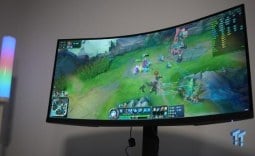
For the PG32UCDM, I tested the following games: League of Legends, Apex Legends, Overwatch 2, Black Myth: Wukong, Cyberpunk 2077, The Witcher 3, God of War Ragnarok, Valorant, DOOM: The Dark Ages, Age of Mythology: Retold, Borderlands 4, Counter-Strike, and Battlefield 6.
As you can probably imagine, ASUS's new flagship 32-inch OLED performed incredibly well across every title I tested. Motion performance was superb, colors looked immaculate, and I was fully immersed in each title thanks to the nice 32-inch screen.
However, some games performed better than others, and that mostly had to do with the size of the PG32UCDM. I found that cinematic titles, such as Black Myth: Wukong, Cyberpunk 2077, God of War Ragnarok, and The Witcher 3: Wild Hunt, were much more enjoyable than competitive games such as Valorant, Overwatch 2, League of Legends, and Counter-Strike.

This was mostly due to 32-inch displays feeling slightly too big for competitive titles, as the size of the display comes with a recommended viewing distance that exceeds the average distance a gamer would be sitting away from the display on a desk setup. Of course, this is just my personal preference.
What was particularly impressive was the brightness of the PG32UCDM, and this was noticeable in titles that are rich in color and vibrant. Overwatch 2, The Witcher 3, Black Myth: Wukong, and others were intensely vibrant. This level of brightness helped maintain immersion and was clearly noticeable compared to other OLED monitors in the lab.
With a 4K resolution and a 32-inch display, the PG32UCDM has 138 Pixels Per Inch (PPI), which is more than enough pixel density to produce a ridiculously clear image in both games and productivity use cases, such as word processing or spreadsheet management. Another aspect of the PG32UCDM I found impressive was ASUS's suite of OLED Care options, particularly the Neo Proximity Sensor, which addresses public concerns about pixel longevity and the potential for burn-in.

The Neo Proximity Sensor is designed to enable a user to select a preset distance, and then once that distance is exceeded for a preset amount of time, the PG32UCDM will automatically drop brightness to zero. The idea is that with the pixels turned off, they are no longer active, therefore reducing the lifespan of the monitor.
The distance can also be fully customized, and is monitored by the IR sensor located beneath the ASUS logo on the display's chin. This sensor monitors the distance between the user and the PG32UCDM, and once that set distance is exceeded, such as the user getting up and moving away from their desk, the countdown begins.
The Neo Proximity Sensor is the best idea I've seen so far for burn-in mitigation, but it isn't without its problems. For example, if the user doesn't move at all for the set countdown time, which in my case was 5 minutes, the screen can go black mid-game, which, if you are playing a competitive title, could result in a misplay that spirals the game into a defeat. I would recommend setting the countdown to 10/15 minutes for this reason. I would like ASUS to provide more presets that exceed 10/15 minutes, or an option for a custom countdown timer, as some users may require that.

The standout feature of the PG32UCDM is its HDR performance. Due to the increased brightness, HDR performance across the entire panel was far better than its predecessor. The stunning highlight brightness paired perfectly alongside OLED's true blacks, creating a high level of contrast and depth in content that supported it.
Final Thoughts
So, should you buy the ASUS ROG Swift OLED PG32UCDM Gen 3? What we have here is the cream of the crop of 32-inch 4K 240Hz OLED gaming monitors. If you are after the best of the best, you have found it.

The PG32UCDM is a gaming monitor that is at the bleeding edge of OLED pixel technology, and with that position comes a price tag that is nothing to shake your head at. At $1,299, the PG32UCDM is a big commitment, and the ideal gamer who should be considering this upgrade is someone looking to make the jump from 1080p/1440p to high-end 4K gaming.
That gamer would already have a PC capable of pushing the PG32UCDM to its limit, and, in my opinion, would be leaning toward enjoying slower, cinematic titles where they can really take in all the incredible colors/lighting/graphics, rather than faster, more competitive titles. If you are a gamer looking to jump to OLED and mostly play competitive games, I would recommend a 27-inch 360Hz OLED, rather than the 32-inch 240Hz variants.
Ultimately, the PG32UCDM isn't about reinventing the formula of 32-inch OLED panels; it's about refining it, and that is exactly what ASUS has done here. Hat's off to you, ASUS, you now have my favorite 32-inch 4K OLED gaming monitor.


 KOORUI 34E6UC Gaming Monitor Review - UltraWide Gaming at 180Hz on a Budget
 AOC U27G4 Gaming Monitor Review - Affordable Dual-Mode 4K and 320Hz Gaming in One Display
 MSI MPG 272QRF X36 Review - NVIDIA Pulsar Powers the Peak of 1440p Esports Gaming Monitors
 ASUS ROG Strix Pulsar XG27AQNGV Review - The Bleeding Edge of 1440p Gaming Monitors is Here
 Aura Triple Boost 14 Pro Review - Triple Portable Monitors for $479
 Thermal Grizzly is now selling delidded Intel Core Ultra 7 270K Plus CPUs for enthusiasts
 Rumor: Next-gen Xbox may get disc-to-digital option to convert physical media into virtual games
 Sony expects PlayStation to break new profit records even while it invests in PS6
 PlayStation to deliver 32% returns next year, Sony predicts
 New Xbox cloud and Elite controllers leaked as Microsoft teases cloud-native games, tests free streaming
 Subnautica 2 is a mega hit with 2 million sales in 12 hours
 ASUS enters the memory business and launches its first 'ROG' DDR5 RAM modules
 Popular Chinese retailer JD briefly listed banned RTX 5090 and RTX PRO 6000 Blackwell GPUs
 Security researcher finds zero-day exploit that defeats Windows 11 BitLocker, calls it an insane 'backdoor' discovery
 AMD's FSR 4 coming to RDNA 2 could give the Xbox Series X a PS5 Pro-like upgrade
 PCCooler CPS RZ620M X CPU Cooler Review
 Memblaze PBlaze 7 7A40 Ocean 61.44TB Enterprise SSD Review - Oceans of QLC at 3.3 million IOPS
 MOZA SGP Sequential Sim Racing Shifter Review
 COLORFUL iGame GeForce RTX 5070 Ultra OC Review - When Style and Performance Meet
 GIGABYTE Z890 AORUS Elite WiFi7 Plus Motherboard Review - Right in the sweet spot
 PNY GeForce RTX 5080 Slim OC Review - A Compact 4K Powerhouse
 HP OmniBook 7 (Panther Lake) 16" Laptop Review
 ASUS ROG Strix X870E-E Gaming WiFi7 NEO - A Crosshair by any other name
 Cooler Master Cosmos Alpha Full-Tower Chassis Review
 Thrustmaster T598 Direct Axial Drive Force Feedback Racing Wheel Bundle Review
 Bluetooth Toggle Missing in Windows? Try These Fixes
 GPU Overclocking Basics in Windows 11: Safe Performance Gains Without the Guesswork
 GIGABYTE's new Ultimate OLED Gaming Monitor Bundle includes Xbox Game Pass
 I automated 5 annoying Windows maintenance tasks, and my PC basically runs itself
 How to Fix Windows 11 Black Screen on Boot or After Login
 The first 8 settings I disable on every fresh Windows 11 install in 2026
 Is Your Ethernet Performance Slower Than Wi-Fi? Here's How to Fix It
 MSI's Project Zero Delivers a Stunning Cable-Free Look to More Gamers
 How to Fix "We Couldn't Find a Fingerprint Sensor Compatible With Windows Hello" in Windows 11
 Why Is My Mouse Moving on Its Own? Here's How to Fix It