




Our Verdict
Pros
- Exceptional motion clarity
- Aesthetic physical design
- Designed for esports gamers
Cons
- Price vs. OLED
Should you buy it?
AvoidConsiderShortlistBuyIntroduction & Specification Details and Close-up
NVIDIA unveiled its G-Sync Pulsar technology at CES 2026, and now that some time has passed, the four monitors announced to be arriving with the latest technology have started appearing at retailers.

MSI's MPG 272QRF X36 is one of these monitors, and we have it in the lab today, where we'll go over all the pros and cons of MSI's latest esports gaming display. Firstly, the 272QRF X36 is a 27-inch 1440p Rapid IPS gaming monitor with a 360Hz refresh rate and 0.5ms (GTG) response time. The 272QRF X36 differentiates itself from other IPS gaming monitors with its NVIDIA Pulsar technology, which combines backlight strobing with VRR for significantly better motion performance.
MSI has priced the 272QRF X36 at $649.99, or at least that is what it is currently going for on Newegg. The 272QRF X36 is directly competing with the ASUS ROG Strix XG27AQNGV, priced at $649.99, which is ASUS's IPS gaming monitor that also features NVIDIA Pulsar technology. The XG27AQNGV and 272QRF X36 are almost identical displays in terms of specifications, with only a few key differences that make each recommendable in its own way.
Specifications
| Item | Details |
|---|---|
| Model | MPG 272QRF X36 |
| Size | 27-inch |
| Resolution | 2560 x 1440 |
| Pixels Per Inch (PPI) | 108 |
| Panel Type | IPS |
| Refresh Rate | 360Hz |
| Response Time | 0.5ms (GTG) |
| Brightness | 400 cd/m² |
| Contrast Ratio | 1000:1 (Typ.) |
| Aspect Ratio | 16:9 |
| Viewing Angle | 178° (H) / 178° (V) |
| Color Coverage | Adobe RGB / DCI-P3 / sRGB 91% / 90% / 119% (CIE1976 Standard) |
| HDR Support | HDR Ready (HDR 10) |
| Video Ports | 1x DisplayPort 1.4a (HBR3), 2x HDMI 2.1 (WQHD@120Hz) |
| USB Ports | 3x USB 5Gbps Type-A, 1x USB 5Gbps Type-B, 1x USB 2.0 Micro-B (for Firmware Update only) |
| VESA Mounting | 100x100 |
| Adjustments | Tilt, Swivel, Pivot, Height |
| Warranty | 3 years |
Close-up


| Today | 7 days ago | 30 days ago | ||
|---|---|---|---|---|
 | $777.49 USD | $743.99 USD | ||
 | - | $799.99 USD | ||
| $1169.99 CAD | $1169.99 CAD | ||
| $1214.99 CAD | $1214.99 CAD | ||
| £1050 | £1112.16 | ||
| $777.49 USD | $743.99 USD | ||
 | Check Price | Check Price | ||
* Prices last scanned 5/15/2026 at 2:36 pm CDT - prices may be inaccurate. As an Amazon Associate, we earn from qualifying purchases. We earn affiliate commission from any Newegg or PCCG sales. | ||||
Design
MSI hasn't strayed too far away from its traditional design language, with the 272QRF X36 being best described as clean, understated, and functional. The physical design is somewhat bulky compared to typical IPS gaming monitors, but viewed from the front, it presents a very minimal look, with thin bezels and a uniform matte-black finish. The only branding on the front of the display is the MSI logo on the monitor's chin and the NVIDIA G-Sync certification in the bottom left-hand corner.

One of the more unique design elements of the 272QRF X36 is the top-mounted sensor module, which protrudes slightly from the top of the display. MSI has placed this sensor here to monitor adaptive brightness and color temperature based on ambient lighting. This module is tied directly to NVIDIA's G-Sync module, which is responsible for the thicker-than-usual physical design.
After enabling NVIDIA's Ambient Luminance and Ambient Adaptive Color, the sensor will dynamically adjust brightness and color temperature based on the amount of ambient light in the room. For brighter rooms, the monitor will automatically increase brightness levels and add cooler tones, while in darker rooms it will lower brightness and add warmer tones. These adjustments happen in real-time.
Our Latest Monitors Review Coverage
- KOORUI 34E6UC Gaming Monitor Review - UltraWide Gaming at 180Hz on a Budget
- AOC U27G4 Gaming Monitor Review - Affordable Dual-Mode 4K and 320Hz Gaming in One Display
- ASUS ROG Swift PG32UCDM3 Gaming Monitor Review - Unbeatable OLED Just Got Even Better
- ASUS ROG Strix Pulsar XG27AQNGV Review - The Bleeding Edge of 1440p Gaming Monitors is Here
- Aura Triple Boost 14 Pro Review - Triple Portable Monitors for $479

Moving to the back, MSI has added some of the brand's personality, with RGB lighting elements and a rear panel design that splits the aesthetic into two sections: one with brushed plastic and an MSI dragon logo, and the other a matte black finish with simple MSI branding. Above the MSI branding is the RGB lighting element, which can be controlled with the On-Screen Display (OSD) options.
As for connectivity, the 272QRF X36 is designed around high-end PC gaming first, but also comes with support for console gaming via its HDMI ports. At the core of the 272QRF X36 is the DisplayPort 1.4a port, which is the only port capable of achieving the advertised 2560 x 1440p at 360Hz refresh rate. The 2x HDMI 2.1 ports are capped at 1440p @ 120Hz, which is ideal for competitive console titles.

On the USB side, MSI has decided to include a three-USB-A setup, with each port rated for 5Gbps transfer speeds, which can be activated via the provided USB-B cable/port. There is also a Micro-USB port for firmware updates. This is quite unusual on a modern-day gaming monitor, but it's also tied to the NVIDIA G-Sync module.
Unfortunately, I would have liked to see a USB-C port, which has become an expected standard on any monitor priced above $500, since the 272QRF X36 is priced at $649.99. Additionally, MSI's website states that the monitor doesn't support KVM, Picture-in-Picture, or HDMI CEC, so switching between inputs, such as a PC and a console, isn't as seamless as it could be.

The design choices indicate MSI's intention for the 272QRF X36: high-end PC gaming, with console support secondary. Due to the lack of support for seamless transitioning between inputs, and the clear lack of support for the 272QRF X36 doubling as a productivity monitor, I begin to question why the USB-A ports are there in the first place. I would much rather there be a single USB-C port, or, preferably, 1x USB-C and 1x USB-A.
Panel Breakdown
The 272QRF X36 is built around a 27-inch Rapid IPS panel, and this is where it differentiates itself from other Rapid IPS gaming monitors. The 272QRF X36 is built around one thing: speed and motion clarity. The display sports a 27-inch 2560 x 1440p resolution panel with a maximum refresh rate of 360Hz and a 0.5ms (GTG) response time.

While those are very decent specifications for a 1440p gaming monitor, the 272QRF X36 separates itself with the NVIDIA G-Sync Pulsar module, which at its core integrates three elements: Variable Refresh Rate (VRR), backlight strobing, and adaptive overdrive. In a nutshell, the module continuously monitors the GPU output and adjusts the monitor in real time to match it.
Simultaneously, the module is firing a pulse of backlight in sync with each frame, significantly reducing the perception of any frames and refreshes that are out of alignment. The result is significantly improved motion performance through reduced blur caused by unsynced frames and refreshes.

Furthermore, Pulsar dynamically adjusts the strength of pixel overdrive based on the current frame rate and the panel's scan-out behavior, enabling the display to maintain a consistent level of motion clarity even when in-game performance is inconsistent.
In a nutshell, the Pulsar technology is a chip on the back of the monitor that is designed to improve motion clarity performance of the monitor, which, in competitive titles, particularly, can give a player a distinct advantage over their competition, as moving or strafing targets will appear much clearer on the Pulsar-equipped display versus a typical IPS gaming monitor.
Performance
So, how does the MSI MPG 272QRF X36 fare in what matters most - games? Firstly, with every monitor I test, I like to include several different genres of games to see where the monitor performs best and to hopefully give a gamer an idea of what their experience will be like if they play their favorite type of game on the display under the spotlight.

For the MSI MPG 272QRF X36, I tested the following games: League of Legends, Apex Legends, Overwatch 2, Black Myth: Wukong, Cyberpunk 2077, The Witcher 3, God of War Ragnarok, Valorant, DOOM: The Dark Ages, Age of Mythology: Retold, Borderlands 4, Counter-Strike, and Battlefield 6.
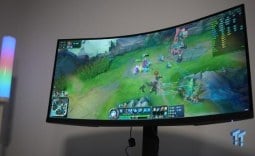
The titles that stood out the most on the 272QRF X36 were any game capable of reaching the 360Hz refresh rate or getting close to it. For example, League of Legends, Overwatch 2, Valorant, DOOM: The Dark Ages, Counter-Strike, and Battlefield 6 were all standout experiences, as in these titles, the power of NVIDIA Pulsar was demonstrated through impeccable motion performance.
Moving objects in all of these titles appeared clear, crisp, and very easy to navigate to, as the desired target location, which in many cases was enemy combatants, was clearly defined. How does this performance compare to ASUS's Pulsar variant? Almost exactly the same, but with one key difference - response time.

The MSI model has a 0.5ms (GTG) response time, versus a 1ms (GTG) response time on the ASUS model. This difference was felt in all these FPS shooter titles, as my mouse clicks felt more one-to-one with what was happening on the display. That isn't to say the ASUS model felt "slow," as it didn't; it's just the MSI model felt just that little bit snappier when it came to clicking on enemy heads.
The main differentiating factor between MSI's MPG 272QRF X36 and ASUS's ROG Strix XG27AQNGV is the motion clarity tuning. MSI has taken a much more aggressive approach with its model, prioritizing maximum perceived sharpness in motion, while ASUS has opted for a more balanced approach, achieving a more stable and consistent image across a variety of titles.

Now, that doesn't mean neither of these displays held their ground in slower, cinematic titles, as they absolutely did. However, these titles aren't able to reach very high framerates, and since these monitors are geared toward pushing as many frames as possible, the slower, cinematic games, such as Cyberpunk 2077, Witcher 3, God of War Ragnarok, and Black Myth: Wukong, all felt adequate to play, but just not the right titles to be playing on either display. However, I will say these slower titles felt and looked better on the ASUS model.
It's clear to me that the MSI model leans more toward aggressive competitive performance, while ASUS's model delivers a slightly more polished and consistent experience across a wide range of titles.
Final Thoughts
So, should you buy the MSI MPG 272QRF X36? Stepping back and looking at both the MSI MPG 272QRF X36 and the ROG Strix XG27ANGV, the reality is simple: these are two of the most advanced LCD gaming monitors available right now. Both are priced the same at $649.

In a nutshell, if you are looking to upgrade from 1080p to high-end 1440p gaming and you only play competitive esports titles, I would grab the MSI model, as you will benefit from its faster response time. If you are a gamer who spends 50% of their time in competitive games and the other 50% enjoying vast open-world RPG games or similar cinematic experiences, I would opt for the ASUS model.
However, there is actually a third competitor here: 27-inch OLED monitors. Currently, on Newegg, there is a listing for a 27-inch 1440p 360Hz OLED gaming monitor from MSI, priced at $619.99 - cheaper than both Pulsar displays. Given that this OLED display is cheaper than the Pulsar monitors, why would you ever get the Pulsar displays?
While OLED monitors have that extremely fast response time, typically 0.03ms (GTG), they still suffer from motion blur problems, specifically sample-and-hold motion blur, the motion blur NVIDIA's G-Sync Pulsar is designed to fix. According to NVIDIA, Pulsar can deliver 1000Hz+ perceived motion clarity at 360Hz, which has been shown to outperform 540Hz OLED panels in motion tests.
So, if you are after the cream of the crop when it comes to motion performance, these Pulsar monitors are now here, and the best I've tested so far is MSI's MPG 272QRF X36.


 KOORUI 34E6UC Gaming Monitor Review - UltraWide Gaming at 180Hz on a Budget
 AOC U27G4 Gaming Monitor Review - Affordable Dual-Mode 4K and 320Hz Gaming in One Display
 ASUS ROG Swift PG32UCDM3 Gaming Monitor Review - Unbeatable OLED Just Got Even Better
 ASUS ROG Strix Pulsar XG27AQNGV Review - The Bleeding Edge of 1440p Gaming Monitors is Here
 Aura Triple Boost 14 Pro Review - Triple Portable Monitors for $479
 Thermal Grizzly is now selling delidded Intel Core Ultra 7 270K Plus CPUs for enthusiasts
 Rumor: Next-gen Xbox may get disc-to-digital option to convert physical media into virtual games
 Sony expects PlayStation to break new profit records even while it invests in PS6
 PlayStation to deliver 32% returns next year, Sony predicts
 New Xbox cloud and Elite controllers leaked as Microsoft teases cloud-native games, tests free streaming
 Subnautica 2 is a mega hit with 2 million sales in 12 hours
 ASUS enters the memory business and launches its first 'ROG' DDR5 RAM modules
 Popular Chinese retailer JD briefly listed banned RTX 5090 and RTX PRO 6000 Blackwell GPUs
 Security researcher finds zero-day exploit that defeats Windows 11 BitLocker, calls it an insane 'backdoor' discovery
 AMD's FSR 4 coming to RDNA 2 could give the Xbox Series X a PS5 Pro-like upgrade
 PCCooler CPS RZ620M X CPU Cooler Review
 Memblaze PBlaze 7 7A40 Ocean 61.44TB Enterprise SSD Review - Oceans of QLC at 3.3 million IOPS
 MOZA SGP Sequential Sim Racing Shifter Review
 COLORFUL iGame GeForce RTX 5070 Ultra OC Review - When Style and Performance Meet
 GIGABYTE Z890 AORUS Elite WiFi7 Plus Motherboard Review - Right in the sweet spot
 PNY GeForce RTX 5080 Slim OC Review - A Compact 4K Powerhouse
 HP OmniBook 7 (Panther Lake) 16" Laptop Review
 ASUS ROG Strix X870E-E Gaming WiFi7 NEO - A Crosshair by any other name
 Cooler Master Cosmos Alpha Full-Tower Chassis Review
 Thrustmaster T598 Direct Axial Drive Force Feedback Racing Wheel Bundle Review
 Bluetooth Toggle Missing in Windows? Try These Fixes
 GPU Overclocking Basics in Windows 11: Safe Performance Gains Without the Guesswork
 GIGABYTE's new Ultimate OLED Gaming Monitor Bundle includes Xbox Game Pass
 I automated 5 annoying Windows maintenance tasks, and my PC basically runs itself
 How to Fix Windows 11 Black Screen on Boot or After Login
 The first 8 settings I disable on every fresh Windows 11 install in 2026
 Is Your Ethernet Performance Slower Than Wi-Fi? Here's How to Fix It
 MSI's Project Zero Delivers a Stunning Cable-Free Look to More Gamers
 How to Fix "We Couldn't Find a Fingerprint Sensor Compatible With Windows Hello" in Windows 11
 Why Is My Mouse Moving on Its Own? Here's How to Fix It