Our Verdict
Pros
- Digital thermal display
- Unified styling
- Easy access
- Dual-fans with RAM clearance
- Easy to install
Cons
- Nothing "holds" fans in place
- Poor QC
- Performance-per-dollar
Should you buy it?
Introduction, Specifications, and Pricing

Not long ago, we looked at the Ocypus Sigma PRO liquid CPU cooler. While it followed much of the same formula everyone else uses, Ocypus put a visual spin on the units we never expected. It has a high-end appeal with exposed metal, a decent-sized IPS screen, and performance that placed it well into the top ten of the thermal charts. While they may have come to us without much fanfare, they showed up with a solid product, did it with a recognizable look, and proved Ocypus was here to play.
Not long after, we looked at some of their fans, and again, Ocypus decided to go the long way around to deliver their version of what they feel the market wants. Badged as the Sigma F36 ARGB, we got a one-piece frame with three sets of blades. This design offers plenty of structural benefits, plus it removes ungodly amounts of wiring. Not only did the fans perform well enough to earn a spot as the intake fans for our gaming rig, but the full-ring frame and fan-hub ARGB lighting is some of the brightest and smoothest transitioning lighting we have seen.
We don't know much about Ocypus when it comes to massive CPU air coolers, but they made sure to change that. Today, we'll look at what is easily their flagship CPU air cooler: the Delta A62 EX BK Digital. It is a dual-tower design, but not in the ordinary sense, yet it still uses a pair of fans to cool it. However, if style is a huge part of your decision-making process, Ocypus has delivered one of the sleekest shrouded CPU coolers we have seen in quite a while. If any of that has lifted an eyebrow, you may want to have a look at what the Delta A62 EX BK Digital has to offer, and how well it stacks up to other, similarly priced, offerings.
| Item | Details |
|---|---|
| Model | Delta-A62-BK2NNWD00E-GL |
| MSRP | $88.99 |
| Compatibility | Intel: LGA 1851 / 1700 / 1200 / 115x AMD: AM5 / AM4 |
| Color | Black |
| TDP | 250W |
| Dimensions | 139 x 134 x 160mm |
| Weight | 1083g |
| Heatpipe | 6 x 6mmΦ |
| Fan Quantity | 2pcs |
| Dimensions | 120 x 120 x 25mm |
| Speed | 600 - 1800 RPM ±10% |
| Airflow | 70 CFM |
| Air Pressure | 1.70 mmH2O |
| Noise Level | ≤31 dB(A) |
| Bearing Type | Hydraulic Bearing |
| Connector | 4-Pin PWM |
| Rated Voltage | 12 VDC |
| Current | 0.25A |
| Power Consumption | 3W |
| Warranty | 3-Years |
The Delta A62 EX BK Digital name tells us a lot about the design. The Delta series already has a couple of offerings, but this is the newest release. The EX stands for extra, extreme, or exciting xylophone, but the A62 bit tells us the pipe count and possibly the fan/tower count. The Digital bit isn't covered in the chart below, but it's essentially a dot matrix that displays real-time thermals through a tinted, magnetically attached cover.
This model supports both camps. AMD gets specific hardware, and Intel gets another set along with a backplate, so AM4 and AM5 users are all set, as well as LGA115x, 1200, 1700, and 1851 users. You'll see the BK variant (black), but Ocypus also offers it in white.
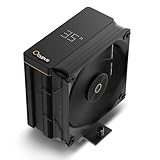
Best Deals: Ocypus Iota A40 CPU Cooler with Display
Prices last scanned 0 minutes ago


At 250W TDP, this 139mm-deep, 134mm-wide, 160mm-tall dual-tower cooler is off to a good start. It weighs 1083 grams, including hardware and fans. Material choices are copper and aluminum. Copper is used for the exposed heat pipes, which are sandwiched in aluminum at the base, and more aluminum for the fifty fins in each array.
Cooling the Delta A62 EX BK Digital uses a pair of 120mm fans: one spins conventionally, while the other runs in reverse. These fans start at around 600 RPM and top out at 1800 RPM, pushing up to 70 CFM and 1.70 mmH2O, and spinning on a hydraulic bearing. Noise levels are said to be near or slightly less than 31 dB(A), while sipping power.
Our Latest CPU Air Coolers Review Coverage
The last couple of points to ponder come down to the warranty length and how deep you must dig to get the cooler from Ocypus. At three years in the Delta series coolers, we feel it is long enough to cover the issues that may arise. At nearly $90, Ocypus has us expecting a lot from their new CPU air cooler, but we'll see its value once we get to the results. In the meantime, we have some images to go over and a few points to make as we see what the Delta A62 EX BK Digital brings to the table for potential users.

Frequently Asked Questions
Open a question for an answer from TweakTown's coverage of this review, or ask your own below.
What sockets and CPUs does the Ocypus Delta A62 EX BK Digital explicitly support (Intel and AMD)?
What mounting hardware and steps are provided for installing the cooler on Intel and AMD motherboards?
How does the Delta A62 EX BK Digital's cooling performance compare in the review's load and idle temperature results?
How is the Delta A62 EX BK Digital's dot-matrix digital display powered and what issues did the reviewer encounter with the software?
Have a question about this content not listed here? Ask below and TweakBot will answer it.

Packaging

Ocypus sticks to its familiar silver backdrop for the Delta A62 EX BK Digital front panel. At the top is the Ocypus name and orange O logo, a good overall look at the cooler inside, with its name shown at the bottom.

The side swaps to matte black with rows of gray circles at the bottom. It shows half of the logo, with the heat pipe cooler Delta A62 EX BK Digital as the only thing displayed. The right portion shows the specifications we covered earlier.

With silver as the choice for the back of the box, under the cooler's name, we are told to visit ocypus.com for more information, and below are company information and icons. The right portion houses the specs we covered earlier and has the sticker with the product and serial numbers.

The front of the box shows a front view of the cooler inside, but Ocypus uses this last silver panel to show a close-up from the back, still focusing on the digital display while showing a fan hub and logo on the towers' exhaust.

The cooler does not ship in a plastic bag, yet it is completely encased in dense white foam that interlocks at the corners. There are also layers of foam above and below the CPU cooler, which keep the hardware box from damaging the cooler inside.
Ocypus Delta A62 EX BK Digital

Fresh out of the packaging, we can see right through the towers, with no fan to block the view. A thick silver plastic ring surrounds the tower, and we can see the pipes exit the base, bend outward, and shoot through the fins. We can also see the native USB connector to power the digital functionality.

From the side, the view is mostly the black plastic shroud meeting the silver intake ring, creating a high-contrast appeal. The orange stripe at the top nods to the Ocypus O color and is completely expected in their design cues.

At the back of the cooler, you get eyes on a fan, but look closely: it's a reverse-flow design that leaves the hub side exposed and delivers a much cleaner look. Trim surrounds this fan, like the front, but its chunky frame is black and aligns with the fan for the cleanest finished look possible, no matter the view or angle.

With a shrouded cooler, as you would expect, the rear side of the tower is identical to its opposing portion. While style is a huge part of the shroud, it also contains all the airflow, which in turn should deliver better results than without it. Below the cooler, we can see the daisy-chained fan power layout, which lets a single PWM fan header control both fans.

With the wiring moved aside that comes from the central portion of the tower above, we can see the base. Made of aluminum, with a pre-cooler machined into the middle, this bracket holds the pipes in place and serves as the wings for the spring-loaded mounting screws.

Direct contact was all the rage for a while, and some did better with it than others, but Ocypus is giving it a go. After nickel plating and soldering the pipes to the aluminum above them, the base is then machined. Semicircular machine marks run from top to bottom, leaving a nearly level finish with thin gaps between the pipes.

We laid the cooler down to show the rounded, offset fin array. Each set of five fins has staggered humps across the center of the fins, creating many mini pockets for airflow to build up and attack the heat. The trailing edges are flat, but both towers share this leading-edge profile.

The top of the cooler is made from another darkly tinted plastic cover, held in place with magnets. The Ocypus name and logo are near the bottom, but there are odd stains we could not remove. The color matches the sides well and plays nicely against the silver on the right.

If you grab either side of the cover and lift, the magnets release, exposing the top of the tower. The thermal display and a sticker showing the intended airflow direction are central to the image. To access the mounting screws, remove the fan, which is held in place by friction.
Accessories and Documentation

Intel users will want to grab the universal backplate and adjust the ends to fit the socket you use. Once done, install it behind the motherboard and set the brackets on top with the embossed arrows pointing at the CPU. You then use the screws provided to secure them to the motherboard backplate.

AMD users get short brackets to install above and below the sockets, after removing the plastic latches that are there by default. These are set on the factory backplate with the arrows pointing at the CPU, and screw into place as the Intel gear did. There is also a small packet of thermal paste, good for 1 or 2 applications.

The rear fan has an Ocypus logo sticker on both sides of the hub, so we cannot confirm its model, but the front fan between the towers is an Ocypus Delta F12. We also like the additional frame support bars, all of which are thinner than the typical four on ordinary fans.

If you have never installed an aftermarket CPU cooler, the manual is there for you. It starts with a list of all the parts you should have, then follows renderings and short explanations through a simple installation process. There is a wiring section too, but other than to see its contents after the fact, we didn't need the manual when installing it. It's intuitive and all there in front of you.
Installation and Finished Product

As described on the previous hardware page, we removed the factory plastic clips and installed the metal brackets from Ocypus - they go top and bottom, with the curves inward as the arrows show.

Next, apply thermal paste to the CPU and gently set the cooler on it while aligning the screws. The fan needs to be out of the way to access the screws, but any long Phillips #2 screwdriver will get the job done quickly.

With much less view of the pipes due to the height of our RAM, the Delta A62 EX BK Digital is well above our RAM, leaving plenty of room for even taller choices. The rest of the cooler is the same, with a vast view of fin edges and that silver surround.

Without a fan attached to the front of the Delta A62 EX BK Digital, all four DIMM slots are fully accessible, no matter the height of the kit you run.

Even without a front fan, the Ocypus Delta A62 EX BK Digital is a motherboard-covering CPU cooler. While the RAM is typically covered, this shift makes the rear I/O cover nearly invisible, which may upset some with ARGB displays or screens there.

Once powered, we were a tad disappointed that the thermal display does nothing until the software kicks in, but the Delta A62's appeal fits the build theme well.

Once you get the software, which is a hassle, the Delta A62 EX BK Digital shows its last card. The thermal display comes to life with a software suite that lets you switch between Celsius and Fahrenheit with a flick of the digital switch, and you can choose to display the current CPU or GPU temperature atop the towers in that dot-matrix presentation.
Test System Setup, Thermal Tests, and Noise Results
Chad's CPU Cooler Test System Specifications
| Item | Details |
|---|---|
| Motherboard | ASUS ROG STRIX X870E-E Gaming Wi-Fi (Buy at Amazon) |
| CPU | AMD Ryzen 9 9900X (Buy at Amazon) |
| RAM | Patriot Viper Elite 5 32GB @ 7000MT/s (Buy at Amazon) |
| GPU | GIGABYTE GeForce RTX 4070 Ti Super Windforce OC 16G (Buy at Amazon) |
| SSD | Patriot Viper 2TB VP4300 PCIe m.2 Gen4 x4 (Buy at Amazon) |
| Case | be quiet! Light Base 900 DX (Buy at Amazon) |
| Case Fans | be quiet! Light Wings White 140mm PWM High-Speed ARGB (Buy at Amazon) |
| Power Supply | be quiet! Dark Power Pro 12 1500W (Buy at Amazon) |
| OS | Microsoft Windows 11 Home 64-bit (Buy at Amazon) |
| Software | AIDA64 Engineer 7.60.7300, and CPU-z 2.14.0 x64 |
To see our testing methodology and to find out what goes into making our charts, please refer to our 2025 CPU Cooler Testing and Methodology article for more information.
Thermal Results

We honestly have little to complain about with the idle results from the Delta A62 EX BK Digital. At 41°C, only two air coolers bested that result, which is a good foot in the door for this unique take on CPU cooling.

We really didn't expect to see this. With so much aluminum, all that copper, and the airflow, we didn't expect the Delta A62 EX BK Digital to deliver middle-of-the-pack performance at 71.1°C. We hoped it would stay much closer to the V8 ACE, but the gap tells that story.

Something many may not consider is the millisecond spikes in thermals. Some coolers like this one laugh them off, while others do not fare as well. With less than two degrees between the max and average temperatures, it shows the tower can take the spikes in stride.
CPU Speed

At 5.210GHz as the average boost clock across all cores, it is above the rated clock AMD said, but only just. The bar is high due to cost in this instance, and we want more from our CPU cooler when we get to nearly $100 territory.
VRM Thermal Results

Moving the fan to the back of the chassis also affects something else you may not expect. The motherboard VRM gets less air because the fan and duct don't let the exhaust fan blow much air at that lower level. That's why this Ocypus submission shows 61 °C.
Fan Speed and Noise Levels

Powered via separate fan headers, our fans spin at very similar RPMs. The intake fan averaged 1320 RPM during the test, while the reverse-flow fan behind it averaged 1343 RPM. That is up from roughly 800 RPM at idle.

While quieter than some in the chart, the product page's claim of near silence is a bit of a stretch for us. During testing, we heard the fans as they showed 42 dB on the meter. In some cases, they're harder to hear, but during gaming or compiling, you will hear them.
Final Thoughts
Upon seeing the imagery, we were excited to get this new Delta series cooler in our hands and on the system for testing. At first glance, everything was good, until it came time for images. We found odd scuffs on the shroud and "stains" on the tinted cover. We could blame the scuffs on the foam, but we haven't seen it before, and discoloration is a separate issue. Once installed, we couldn't see any of it, but it is still worth mentioning. Installation is easy, hardware is on point and simple to figure out, and if you aren't after the best performance in air cooling a CPU, the Delta A62 EX BK carries a lot of weight in appearance, and it may be enough for some.
Installation is easy: unclip the fan power from the splitter cable, grab the fan from under the removable cover, and slide it out of the hole. The hole's fit keeps this fan in place. The exhaust fan is similar, but a USB wire runs through that hole, and the fan slides in with it. No groove, no protective coating, just fin edges, wires, and force-fitting a fan on it. In most instances of light use and light gaming, the cooler would be inaudible, but when stressed, there is no denying you can hear the Delta A62 a foot or more from your chassis.
The digital aspect is cool, in a way. We concede it is easy to glance at the PC and see the larger dot-matrix temperature on top of the cooler. On the flip side, most of us would use an overlay and see them on screen. What soured our view of this feature was trying to get this tiny bit of software. On the Delta A62 EX BK Digital product page, a support section takes you to the latest and greatest Ocypus DIGITAL software. We downloaded it to get a 33KB folder with nothing in it. However, from the main page, if you go to Support, Downloads, and click the old version, you get software in the folder that functions well enough for its limitations.
This feels a bit like we are flogging a dead horse, but the market has shifted: we have seen other manufacturers take every trick, stick every ace up their sleeves, and make sure they come out the winner, no matter what it takes. We aren't empowering cheating, but stacking the odds within the rules of physics is fair game. Opening our eyes to what is possible and what it took, both in cost and performance, to land where they all have in our charts. Ocypus does a fair job with performance and noise, and we dig the shroud appeal with the unified feel, but at $88.99, the bar was set so high we feel Ocypus may have tripped on one trying to get to the finish line. If it were $50 or $60, we would push more for it to inhabit your builds, but they are better-performing options with noise involved in this range, making Ocypus' job harder and our opinions a bit harsher.